Introduction to Cascadia PLM
Cascadia is a Product Lifecycle Management (PLM) system for hardware companies. It helps engineering teams manage parts, documents, and change orders with full revision history and traceability.
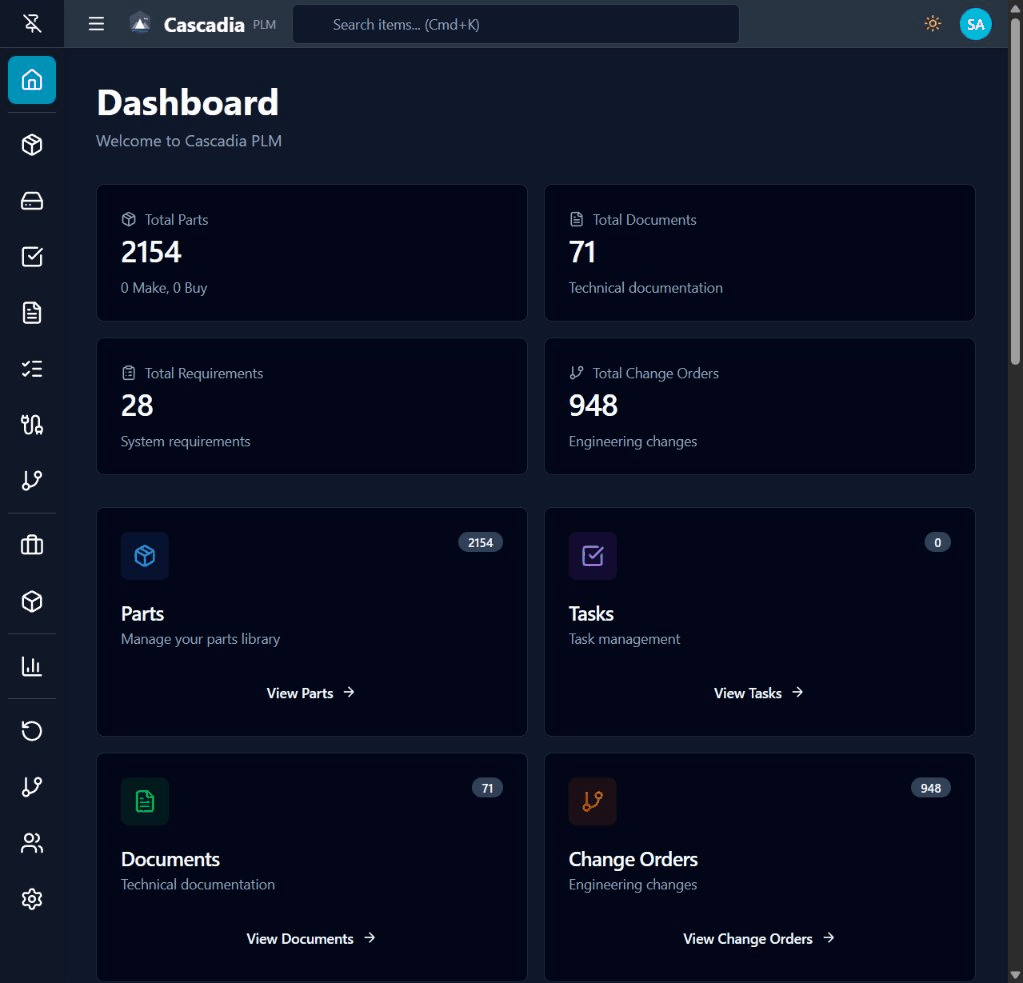 The Cascadia dashboard showing parts, documents, and change order statistics.
What You Can Do
With Cascadia PLM, you can:
- Manage Parts & BOMs - Create parts, build assemblies, and track bill of materials with multi-level hierarchy
- Control Documents - Store technical documents with check-in/check-out and version control
- Track Engineering Changes - Use ECOs (Engineering Change Orders) with Git-style branching to manage changes without blocking other work
- Capture Requirements - Link requirements to parts for full traceability
- Coordinate Work - Assign tasks and track progress with Kanban boards
- Visualize Relationships - See BOM trees and relationship graphs at a glance
Who Is This For?
Cascadia is designed for:
- Hardware startups who need PLM but can't afford enterprise solutions
- Engineering teams who want version control that works like Git
- Companies with developers who prefer code-based configuration over UI wizards
- Organizations in aerospace, medical devices, electronics, or manufacturing
Key Differentiator: ECO-as-Branch
Traditional PLM systems block parts while changes are in progress. Cascadia uses a Git-style branching model where:
- Multiple ECOs can work on the same part simultaneously
- Changes are isolated until approved and released
- Revision letters are assigned automatically on merge
- Full history is preserved with merge commits
Traditional PLM:     PN-001: A → B → C → D (linear, blocking)

Cascadia:           main:     [A] ────────── [B] ────── [C]
                               │              ↑          ↑
                    eco/ECO-1: └──[work]─────┘          │
                    eco/ECO-2: ──────────[work]─────────┘
Built-In Item Types
| Item Type | Description |
|---|---|
| Part | Manufacturing parts with materials, make/buy, cost, and BOM relationships |
| Document | Version-controlled files with check-in/check-out |
| Change Order | ECO/ECN/MCO workflows for engineering changes |
| Requirement | Requirements with priority, acceptance criteria, and traceability |
| Task | Work items with assignees, due dates, and Kanban support |
Organizational Structure
Cascadia organizes data in a hierarchy:
- Programs - Projects or product lines (also serve as permission boundaries)
- Designs - Version containers with branches and commits
- Items - Parts, documents, and other engineering data
Enterprise Search
The global search bar in the header provides instant access to any item:
- Unified Search - Search across Parts, Documents, Change Orders, Requirements, and Tasks in one query
- Keyboard Navigation - Use arrow keys to navigate results, Enter to open
- Design Context - Results show the design each item belongs to
- Access Control - Only shows items from designs you have access to
Background Jobs
Async processing with RabbitMQ for:
- Workflow Notifications - Email stakeholders on state changes
- Bulk Operations - Process large data sets asynchronously
- Scheduled Tasks - Recurring maintenance operations
Administrators can monitor and manage jobs from the Admin dashboard.
Why Cascadia?
| Traditional PLM | Cascadia PLM |
|---|---|
| Configure through UI wizards | Define in TypeScript with full IDE support |
| Export/import XML for version control | Git-native configuration with code review |
| Proprietary scripting languages | Standard TypeScript/JavaScript ecosystem |
| Vendor lock-in with licensing fees | Flexible, transparent licensing |
| Black-box deployments | Docker/Kubernetes with full control |
Technology Stack
For developers interested in the technical details:
| Layer | Technology |
|---|---|
| Framework | TanStack Start (full-stack TypeScript) |
| Database | PostgreSQL with Drizzle ORM |
| UI | Tailwind CSS + Radix UI components |
| Auth | Oslo.js + Arctic (OAuth) |
See the Architecture Overview for more details.
Current Status
:::info Pre-Release Software Cascadia is in active development (Late Phase 2 / Early Phase 3). Core features are implemented and functional, but the system is not yet recommended for production use without evaluation. :::
Next Steps
- Installation Guide - Set up your development environment
- Quick Start - Create your first items
- Architecture Overview - Understand the system design